
For UK players looking for a mobile-first casino experience, VIPZino Casino offers a convenient way to access slots, table games, live dealer titles and promotional features from an Android phone or tablet. The central question for many users is how to install the casino safely, understand the available payment methods and begin playing responsibly.
This guide explains the practical steps involved in downloading the VIPZino Casino APK, checking device compatibility and using the platform from the United Kingdom. Before registering, players should verify the current availability of the service, read its terms and confirm that online gambling is legal and permitted for them.
What Is VIPZino Casino?
VIPZino Casino is an online gambling platform designed for players who prefer quick access to casino entertainment. Its mobile format is intended to make navigation simple on smaller screens, while the APK option can provide a direct Android installation outside the Google Play Store.
A typical casino lobby may include video slots, jackpot games, roulette, blackjack, baccarat and live casino tables. The exact selection, currencies, promotions and payment options can change, so UK users should check the website and the registration page for the latest information before making a deposit.
The official website associated with the brand is uk-vipzinocasino.com. Players should type the address carefully and avoid unofficial download pages, copied websites or links received through unsolicited messages.
VIPZino Casino APK Download: Step-by-Step Guide
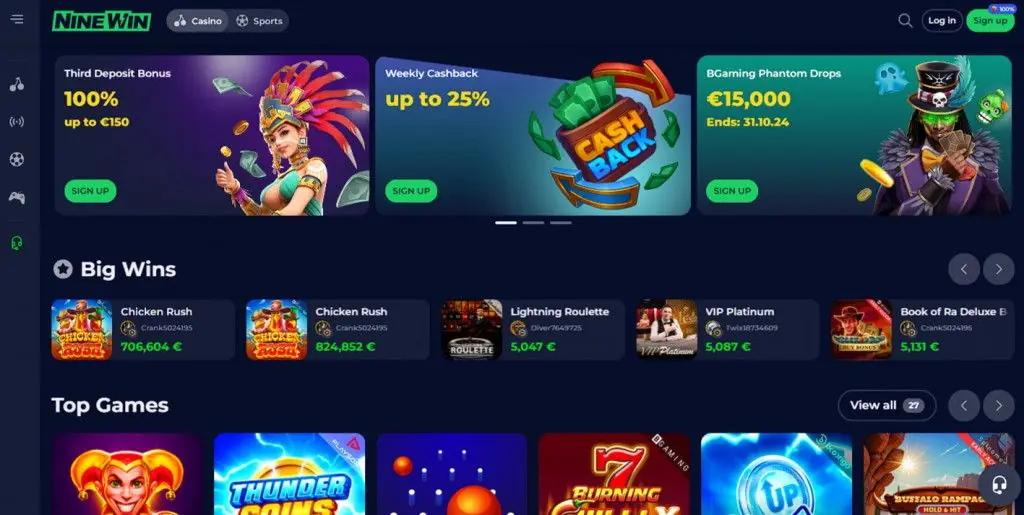
Use the official source
Open a secure browser on your Android device and visit the official VIPZino Casino website. Check that the connection uses HTTPS and that the domain is written correctly. A secure connection does not automatically guarantee that every offer is suitable, but it is an essential first check.
Locate the Android download option
Look for a clearly labelled Android, APK or mobile casino section. The download button should be visible on the official platform rather than embedded in an unknown advertisement. If the website provides only a mobile browser version, using that version may be preferable to installing an APK from a third-party source.
Review the file and permissions
Before opening the downloaded file, confirm its name and source. A legitimate casino application should not request unnecessary access to contacts, text messages, microphone recordings or personal files. Be cautious if the installation package asks for permissions unrelated to gambling or account management.
Allow installation only when necessary
Android may block applications downloaded outside Google Play. If the device displays an “unknown sources” warning, users should consider the risks before changing the setting. If they proceed, the permission should be enabled only for the browser or file manager being used, and disabled again after installation.
Complete registration
After opening the app, select registration and enter accurate personal details. UK users may be asked for information needed for identity, age and payment verification. It is important that the name, address and date of birth match official documents, because inaccurate information can delay withdrawals.
Secure the account
Choose a strong, unique password and avoid reusing credentials from email or banking services. If two-factor authentication is available, activate it. Never share a password, verification code or payment confirmation with another person, including someone claiming to be a casino representative.
Is the VIPZino APK Safe for UK Players?
Safety depends on the source of the file, the operator’s licensing status and the user’s own device security. An APK obtained from an unofficial download directory may have been modified to include malware or tracking software. For that reason, the safest approach is to use the operator’s official website and inspect the platform’s terms, privacy policy and responsible gambling information.
Android users should keep their operating system and security software updated. A reputable mobile security tool can scan a downloaded file before installation. Players should also avoid installing casino software on a device used for sensitive business or banking activity unless they trust the source and understand the permissions requested.
UK players should confirm whether the operator is authorised to serve customers in the United Kingdom. A licence check can provide information about responsible gambling rules, complaints procedures and identity verification requirements. If licensing details are unclear, depositing money is best postponed until the situation is clarified.
Games Available on Mobile
Mobile casino apps are generally designed around fast loading and touch controls. Slots are often the simplest games to play, with a spin button, stake controls, paylines or ways-to-win information and an accessible paytable. Before wagering, open the paytable and review the game’s volatility, maximum win and bonus features.
Table games may include digital roulette, blackjack and baccarat. These games have different rules and house advantages, so players should not assume that a familiar title has identical conditions across every casino. Live dealer games can offer a more interactive experience, but they normally require a stable internet connection and may have higher minimum stakes.
Trying games in demo mode
If a demo version is offered, it is useful for learning the interface without risking real money. Demo play can show how bonus rounds, free spins and special symbols operate. However, it does not reproduce the emotional impact of wagering, and success in demo mode does not predict real-money results.
Deposits and Withdrawals for UK Users
Payment methods can include cards, bank transfers, e-wallets and other electronic services, depending on the operator and the player’s location. Before depositing, check the minimum amount, processing time, fees and any wagering conditions connected to a bonus.
Using a payment method registered in the player’s own name is usually the most straightforward option. Third-party deposits can create verification problems and may be rejected under the casino’s terms. Players should save transaction confirmations and review their bank or wallet statements after each payment.
Withdrawals may require identity documents, proof of address or confirmation of the original payment method. Submit documents only through the casino’s secure account area. Do not send passports, payment cards or utility bills to random email addresses or social media accounts.
Promotions and Bonus Conditions
VIPZino Casino may advertise welcome offers, free spins, reload promotions or loyalty rewards. The headline value is only one part of the offer. Read the full terms for wagering requirements, eligible games, maximum bet rules, contribution percentages, expiry dates and maximum withdrawal limits.
A bonus can be declined if the player breaks the maximum-stake rule or uses a restricted payment method. Some games may contribute little or nothing toward wagering requirements. Players who prefer simple bankroll management may choose to deposit without accepting a bonus, if that option is available.
Questions and Answers
Is an APK required to play?
No. If VIPZino Casino provides a mobile-optimised website, Android users may be able to play directly in a browser. This avoids installing an external package and can be more convenient for users who do not want to alter device security settings.
Can I download the app from Google Play?
Availability can change by region and over time. Use only the operator’s verified website or an official app-store listing. Do not rely on imitation applications with similar names, logos or screenshots.
What should I do if the APK will not install?
Check that the device has enough storage, supports the required Android version and has a stable internet connection. Remove incomplete downloads and restart the device if necessary. If installation still fails, contact official support rather than downloading a different file from an unknown source.
How can I stop gambling through the app?
Use the account’s deposit limits, loss limits, session reminders and self-exclusion tools where available. Players can also uninstall the application, block gambling websites and contact recognised UK support organisations if gambling is becoming difficult to control.
Practical Tips for a Better Mobile Experience
- Use a private, password-protected Wi-Fi or mobile data connection.
- Keep the device updated and install applications only from trusted sources.
- Set a fixed entertainment budget before opening the casino.
- Never chase losses or borrow money to continue playing.
- Check the rules and return-to-player information for each game.
- Log out when using a shared device.
- Contact official support through the casino’s verified help channel.
Final Verdict
VIPZino Casino can appeal to UK Android users who want a compact way to access casino games on mobile. The main advantages of an APK may include a direct launch icon, a streamlined interface and easy access to a mobile lobby. The main risks involve unofficial files, unclear licensing, excessive permissions and misunderstanding bonus terms.
A careful installation process is therefore essential. Start with the verified website, confirm that the service accepts UK players, inspect the terms and protect the device before registering. Test the platform with a small amount, use responsible gambling controls and withdraw only through verified methods. With these precautions, players can make a more informed decision about whether the VIPZino mobile experience suits their needs.